Explore iENESYS
iGenx Engineering automation inside AutoCAD

Enter the numbers.
Get the drawing.

iENESYS turns engineering logic into software. Parametric drawing, engineering calculations and documentation tools take repetitive drafting off your team, so engineers spend their time on engineering decisions.

Built by engineers at EnggDesign AutoCAD-integrated Standalone Apps Hub
parametric-preview · horizontal vessel live
Shell geometry
Shell O/D —
Shell weight* —
Shell volume —
Interactive illustration · *carbon steel 7850 kg/m³, cylindrical shell only See the real iGenx ↓
Parametric pressure vessel drawings ASME B16.5 nozzles & flanges Elevation · Plan · End view · ISO 3D Skid base frame lifting & transit analysis BOM & calc sheet export Company drawing templates A1–A4 Plate development & nesting Scraper trap calculations ITP & pressure test documentation iGenx AI Assistant
The engineering bottleneck

Where engineering hours quietly disappear.

Engineering teams lose time to work that repeats on every project. Each repetition adds effort and another chance for a mistake. iENESYS starts from these tasks, not from the technology.

01 / REDRAWING

Every size change means redrawing.

A new diameter, length or nozzle orientation sends the engineer back to line-by-line drafting.

Parametric drawing generates views from structured inputs.
02 / DISCONNECTION

Calculations and drawings drift apart.

Numbers live in one file and geometry in another, so keeping them aligned is manual work.

Calculations and drawings come from the same inputs.
03 / CONSISTENCY

Every engineer, a different template.

Title blocks, revisions and standards vary from person to person and from project to project.

Company templates and standards-driven parameters.
04 / DOCUMENTATION

Deliverables assembled by hand.

BOMs, calc sheets, test procedures and fabrication documents are rebuilt for every job.

Reports, BOMs and documentation generated by the tools.
Before & after

From a blank canvas to a dimensioned drawing.

Drag the handle to compare the manual starting point with the same AutoCAD session running iGenx.
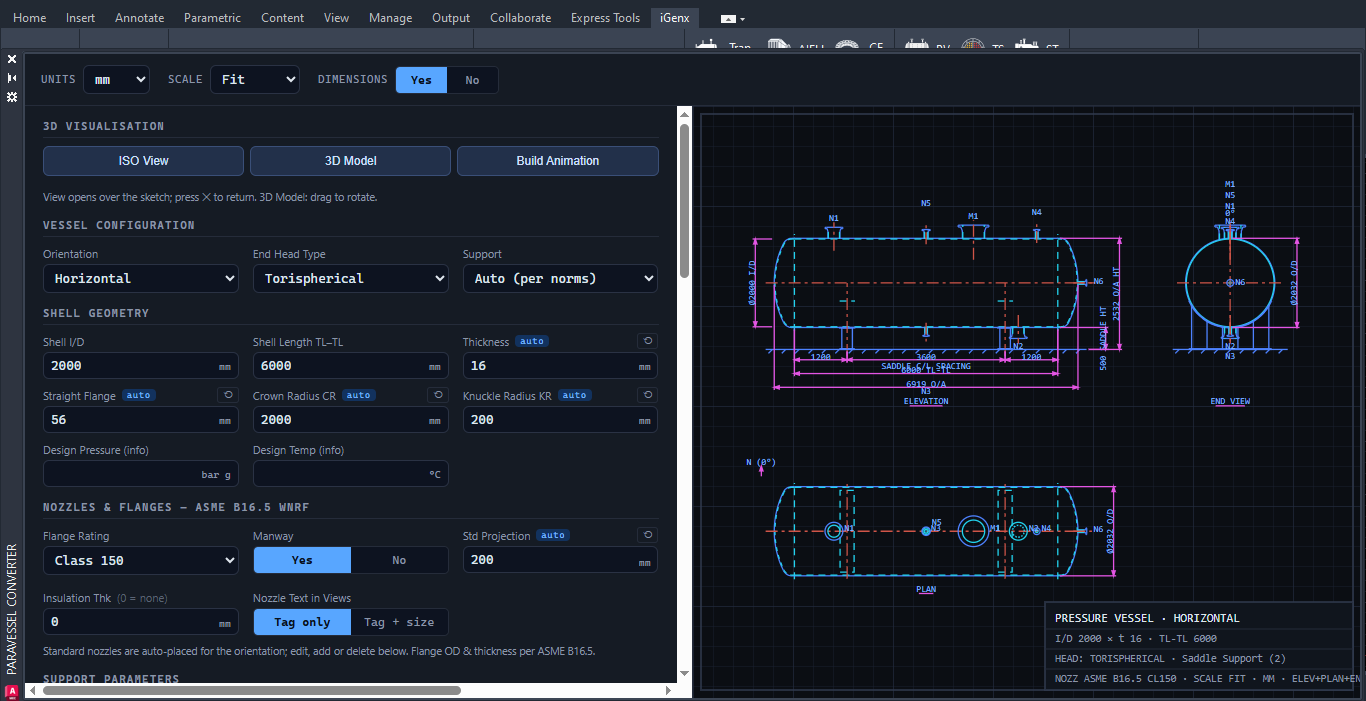
After: iGenx Pressure Vessel application in AutoCAD showing inputs and generated elevation, end view and plan
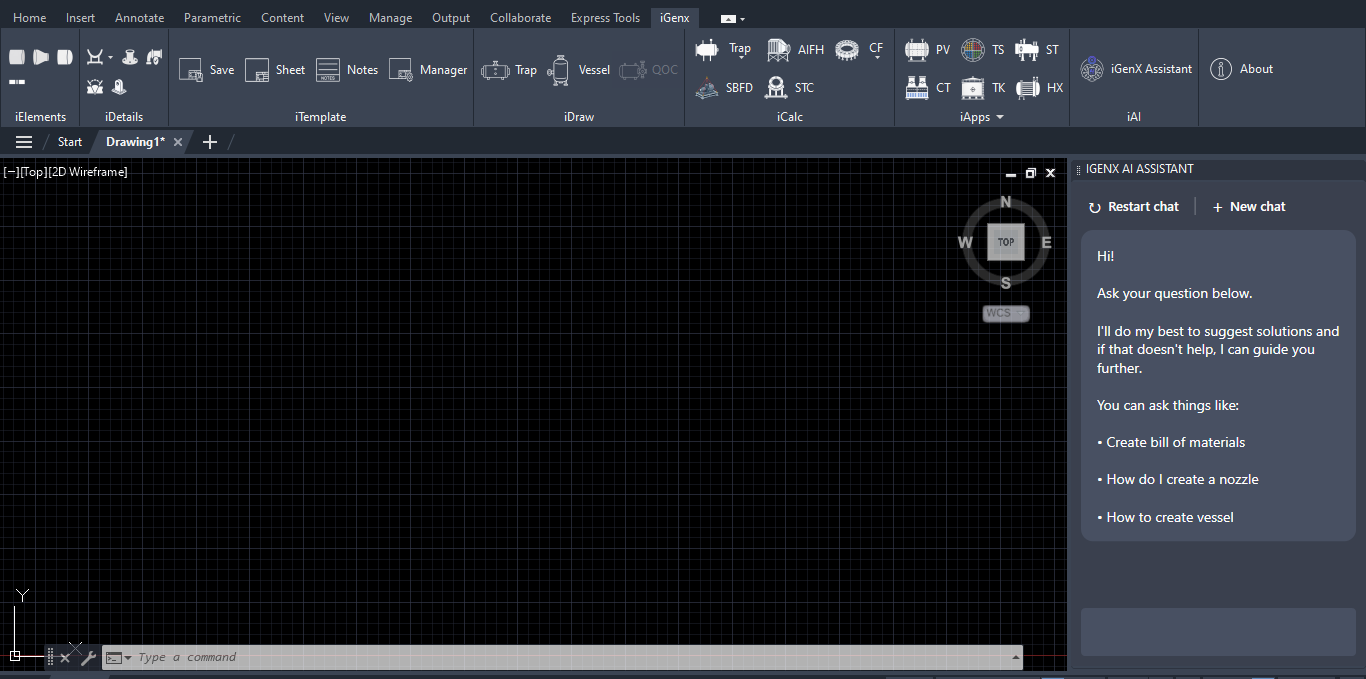
Before: an empty AutoCAD drawing canvas
Manual With iGenx
Manual workflowThe engineer draws, dimensions and checks every view, and redraws whenever a parameter changes.
iGenx workflowSet units, configuration, shell geometry and nozzles once. Elevation, end view, plan and title data come from those inputs.
iGenx for AutoCAD

Real engineering workflows, already built.

These are real screens from iGenx running in AutoCAD. Each module captures one engineering task as a structured, repeatable workflow.

Pressure Vessel

Configure orientation, end head type, supports, shell geometry and nozzles. iGenx produces the elevation, end view and plan with dimensions, nozzle tags and title data.

Torispherical headsASME B16.5 WNRFISO view · 3D modelBuild animationAuto per norms
How automation flows

One set of inputs. Every deliverable.

The engineering logic sits in the software, and the engineer stays in control of every decision.

Structured inputs

Units, configuration, geometry, materials and nozzle data, with sensible auto-values.

Engineering logic

Standards, design codes and calculation rules, with validation flags for errors and warnings.

Drawings & 3D

Dimensioned elevation, plan, end and detail views, with ISO 3D models generated in AutoCAD.

Deliverables

BOMs, calc sheets, reports and templated sheets, ready for engineering review.

iGenx Apps Hub

One hub. Multiple engineering tools.

A standalone desktop platform for specialised engineering, fabrication and project-support applications.

Explore the Apps Hub →
Engineering app

Scraper Trap Calculation Suite

Design calculations for pig launchers and receivers to ASME B31.8 / B31.4, with client-ready PDF and Word reports for every trap in one run.

Engineering app

Plate Development & Nesting

Vessel components, standard shapes, CAD and image import, a nesting optimiser, BOQ and CAD / NC output.

Fabrication app

ITP & Pressure Test

Inspection and test planning with pressure test documentation. Enter company details once and they appear on every document.
iENESYS — Intelligent Engineering Systems by EnggDesign
Built on engineering experience

Software from engineers, not just for them.

iENESYS extends the engineering experience of EnggDesign, an established consultancy working across process, mechanical, piping, electrical and project engineering, as well as analysis and manufacturing-related services.

  • Engineer in control. Tools surface errors, warnings and missing inputs, and outputs are presented for qualified engineering review.
  • Standards-aware. Workflows reference the design codes and standards engineers already use.
  • Quality-minded. Our approach is guided by ISO 9001:2015 Quality Management System principles.
More about iENESYS →
Book a demo

Bring us the workflow your team repeats most.

We will show you iGenx and the Apps Hub working on tasks like yours, and look at what could be automated next.

  1. Share the workflowThe drawing, calculation or documentation task you want to improve.
  2. See it workingA walkthrough of the relevant iGenx modules and Apps Hub tools.
  3. Map the next stepAn existing product, an extension, or a specialised application.